
Epson Label Editor Mobile1.8.0 - App Store
Sie können Ergebnisse sehen in einige Sekunden.
Herausgeberbeschreibung
Erstellen und teilen Sie ganz einfach benutzerdefinierte Etiketten – jederzeit und überall.
Epson Label Editor Mobile ist eine benutzerfreundliche App, mit der Sie personalisierte Etiketten für jede Situation entwerfen und drucken können.
Ob Sie Ihr Zuhause organisieren, Geschenke verpacken oder ein Büro und Vor-Ort-Einsätze verwalten – diese App bietet leistungsstarke Funktionen, die Ihren Anforderungen gerecht werden.
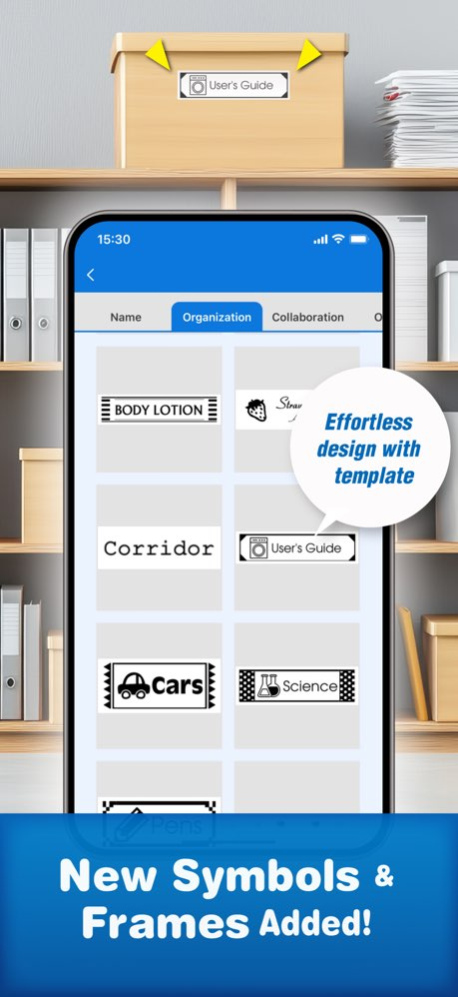
Mit über 870 Symbolen, mehr als 60 Rahmenvorlagen und vollständiger Unterstützung für eigene Bilder können Sie neue, individuelle Etiketten von Grund auf gestalten oder vorhandene Vorlagen schnell anpassen.
Hauptmerkmale
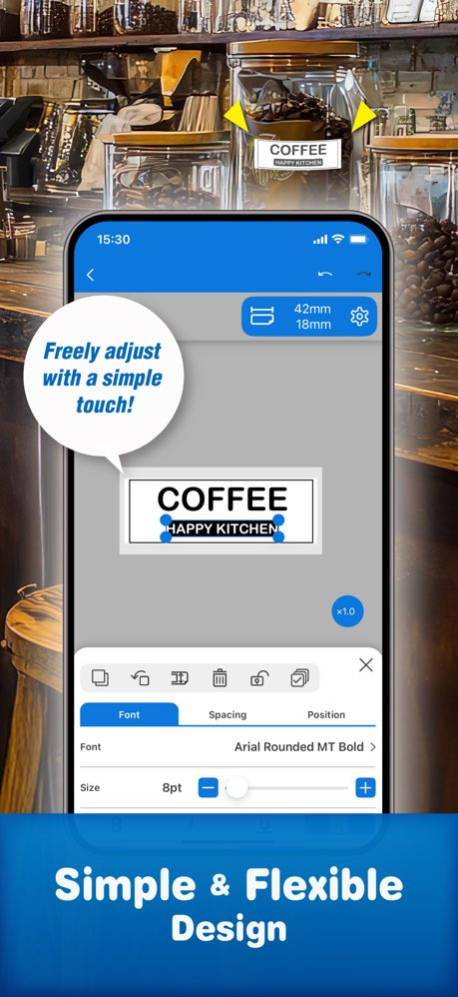
■ Intuitives und flexibles Etikettendesign mit Vorlagen
Über 870 Symbole und über 60 Rahmen (laufend aktualisiert)
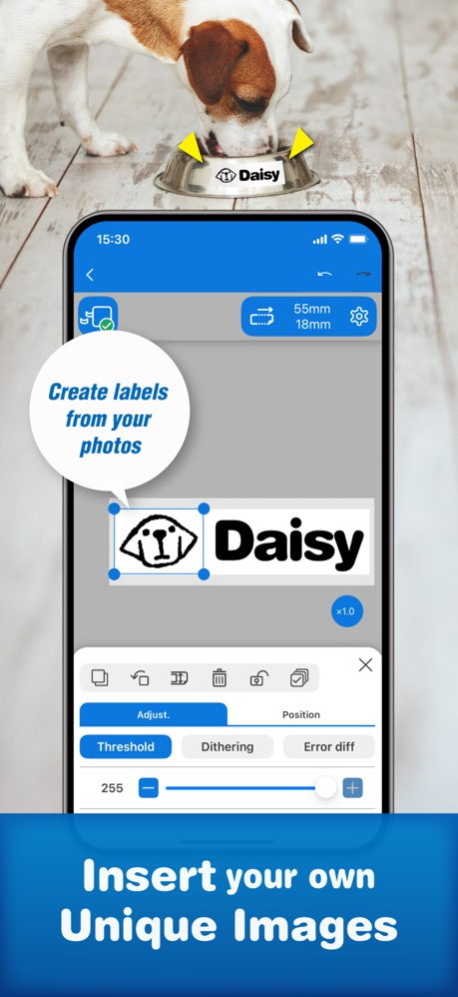
Einfügen von Bildern, Illustrationen und benutzerdefinierten Formen
Verwendung beliebiger Schriftarten, die auf Ihrem Gerät installiert sind
Schnelle und einfache Etikettenerstellung mit integrierten Vorlagen
Erstellen Sie ganz einfach Ihre eigenen einzigartigen Icons mit den integrierten Tools
■ Erweiterte, geschäftsbereite Werkzeuge
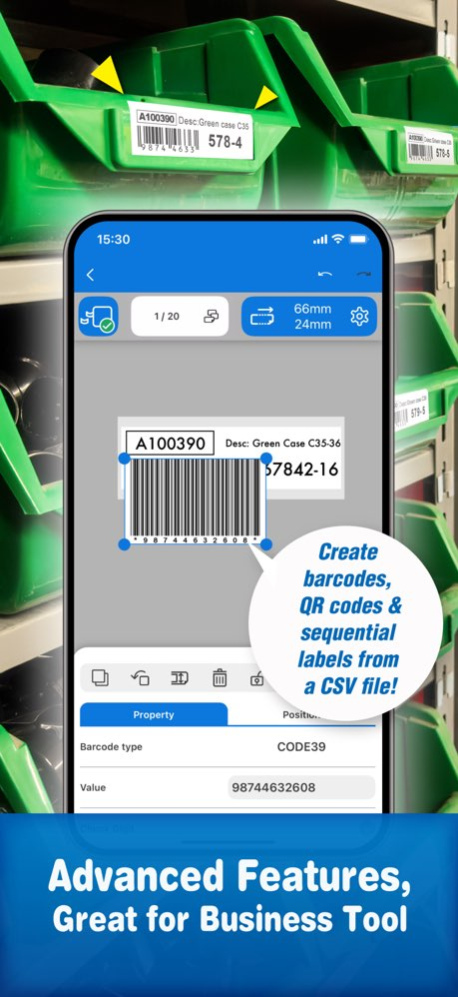
Erstellung von Barcodes und QR-Codes
Datenimport aus Tabellenkalkulationen (CSV-Dateien) zur Erstellung von Etiketten in großen Mengen
Einfügen von Tabellen mit bis zu 10 Zeilen × 10 Spalten
■ Speichern und teilen Sie Ihre Etikettendesigns
Speichern von bis zu 100 Etikettenvorlagen für eine schnelle Wiederverwendung
Teilen gespeicherter Designs mit anderen Nutzern für eine einfache Zusammenarbeit
■ Nahtlose Integration mit PC-Software
Öffnen und Drucken von Etikettendateien, die mit der Epson-Software Label Editor für PC erstellt wurden
Einfaches Synchronisieren und Bearbeiten von Designs auf PCs und mobilen Geräten
Anleitungsvideos ansehen
https://www.youtube.com/playlist?list=PL_i6ZFZucFD8kUS0JHLJRJ01APyWSli3C
Unterstützte Geräte prüfen
https://support.epson.net/appinfo/labeleditormobile/list/
Weitere Informationen zu Epson Label Editor Mobile und den LabelWorks-Lösungen finden Sie auf unserer offiziellen Website.
Über Epson Label Editor Mobile
Das Unternehmen, das Epson Label Editor Mobile entwickelt, ist Seiko Epson Corporation. Die neueste vom Entwickler veröffentlichte Version ist 1.8.0.
Um Epson Label Editor Mobile auf Ihrem iOS-Gerät zu installieren, klicken Sie einfach auf die grüne Schaltfläche Weiter zur App oben, um den Installationsvorgang zu starten. Die App ist seit 2026-09-01 auf unserer Website gelistet und wurde 0 Mal heruntergeladen. Wir haben bereits geprüft, ob der Download-Link sicher ist; zu Ihrem eigenen Schutz empfehlen wir jedoch, die heruntergeladene App mit Ihrem Antivirusprogramm zu scannen. Ihr Antivirusprogramm kann Epson Label Editor Mobile als Malware erkennen, wenn der Download-Link defekt ist.
So installieren Sie Epson Label Editor Mobile auf Ihrem iOS-Gerät:
- Klicken Sie auf unserer Website auf die Schaltfläche Weiter zur App. Dadurch werden Sie zum App Store weitergeleitet.
- Sobald Epson Label Editor Mobile im iTunes-Eintrag Ihres iOS-Geräts angezeigt wird, können Sie den Download und die Installation starten. Tippen Sie rechts neben der App auf die Schaltfläche LADEN, um den Download zu starten.
- Wenn Sie nicht in der iOS App Store App angemeldet sind, werden Sie nach Ihrer Apple-ID und/oder Ihrem Passwort gefragt.
- Nachdem Epson Label Editor Mobile heruntergeladen wurde, sehen Sie rechts einen INSTALLIEREN-Button. Tippen Sie darauf, um die eigentliche Installation der iOS-App zu starten.
- Sobald die Installation abgeschlossen ist, können Sie auf die Schaltfläche ÖFFNEN tippen, um sie zu starten. Das Symbol wird außerdem zum Startbildschirm Ihres Geräts hinzugefügt.
Programmdetails
Systemanforderungen
Download-Informationen
Preisgestaltung
Versionsgeschichte
Version 1.8.0
veröffentlicht am 2026-09-01
Vielen Dank, dass Sie unsere App nutzen!
Mit diesem Update haben wir verschiedene Verbesserungen vorgenommen, um die Nutzung noch einfacher und intuitiver zu gestalten.
- Die Startseite wurde verbessert
- Das Drucken mehrerer Etiketten ist jetzt einfacher
- Mitteilungen können jetzt jederzeit erneut aufgerufen werden
Dieses Update sorgt für ein noch reibungsloseres Nutzungserlebnis. Probieren Sie es aus!
Version 1.8.0
veröffentlicht am 2026-10-15
Version History Thanks for using our app!
In this update, we’ve made several improvements to make the app more intuitive and easier to use.
- It’s now easier to find helpful deals and information in the app
- Printing multiple labels is now simpler and more streamlined
- You can now revisit announcements anytime
This update makes your everyday experience smoother — give it a try! 1.8.0 Sep 1 Fixed bugs
New creative tools are here!
Create your own marks, make fun pair labels with friends, and record your day with a short phrase on your label.
Plus, find your favorite fonts faster with our new recommended font list! 1.7.1 May 25 New creative tools are here!
Create your own marks, make fun pair labels with friends, and record your day with a short phrase on your label.
Plus, find your favorite fonts faster with our new recommended font list! 1.7.0 Jan 6 - Added favorite function to templates. 1.6.0 09/16/2025 - Add new content. 1.5.0 04/22/2025 - Add template function.
- Add new content. 1.4.0 09/24/2024 - Added Godzilla content. (content availability varies by region.)
- Fixed bugs. 1.3.1 04/10/2024 - Added Godzilla content. (content availability varies by region.) 1.3.0 04/01/2024 - Added new content.
- Improved usability. 1.2.0 10/31/2023 - Support Landscape mode (iPad).
- Support Repeat text mode.
- Improving usability. 1.1.0 06/21/2023 - Add "Cart icon" 1.0.3 10/27/2022 - Add HST and Self-lam on Tape width setting.
- Improving usability. 1.0.2 09/27/2022 - Fixed bugs 1.0.1 08/30/2022 1.0.0 06/14/2022
Version 1.8.0
veröffentlicht am 2026-09-03
Version History Thanks for using our app!
In this update, we’ve made several improvements to make the app more intuitive and easier to use.
- It’s now easier to find helpful deals and information in the app
- Printing multiple labels is now simpler and more streamlined
- You can now revisit announcements anytime
This update makes your everyday experience smoother — give it a try! 1.8.0 2d ago Fixed bugs
New creative tools are here!
Create your own marks, make fun pair labels with friends, and record your day with a short phrase on your label.
Plus, find your favorite fonts faster with our new recommended font list! 1.7.1 May 25 New creative tools are here!
Create your own marks, make fun pair labels with friends, and record your day with a short phrase on your label.
Plus, find your favorite fonts faster with our new recommended font list! 1.7.0 Jan 6 - Added favorite function to templates. 1.6.0 09/16/2025 - Add new content. 1.5.0 04/22/2025 - Add template function.
- Add new content. 1.4.0 09/24/2024 - Added Godzilla content. (content availability varies by region.)
- Fixed bugs. 1.3.1 04/10/2024 - Added Godzilla content. (content availability varies by region.) 1.3.0 04/01/2024 - Added new content.
- Improved usability. 1.2.0 10/31/2023 - Support Landscape mode (iPad).
- Support Repeat text mode.
- Improving usability. 1.1.0 06/21/2023 - Add "Cart icon" 1.0.3 10/27/2022 - Add HST and Self-lam on Tape width setting.
- Improving usability. 1.0.2 09/27/2022 - Fixed bugs 1.0.1 08/30/2022 1.0.0 06/14/2022
Version 1.7.1
veröffentlicht am 2026-08-13
Version History Fixed bugs
New creative tools are here!
Create your own marks, make fun pair labels with friends, and record your day with a short phrase on your label.
Plus, find your favorite fonts faster with our new recommended font list! 1.7.1 May 25 New creative tools are here!
Create your own marks, make fun pair labels with friends, and record your day with a short phrase on your label.
Plus, find your favorite fonts faster with our new recommended font list! 1.7.0 Jan 6 - Added favorite function to templates. 1.6.0 09/16/2025 - Add new content. 1.5.0 04/22/2025 - Add template function.
- Add new content. 1.4.0 09/24/2024 - Added Godzilla content. (content availability varies by region.)
- Fixed bugs. 1.3.1 04/10/2024 - Added Godzilla content. (content availability varies by region.) 1.3.0 04/01/2024 - Added new content.
- Improved usability. 1.2.0 10/31/2023 - Support Landscape mode (iPad).
- Support Repeat text mode.
- Improving usability. 1.1.0 06/21/2023 - Add "Cart icon" 1.0.3 10/27/2022 - Add HST and Self-lam on Tape width setting.
- Improving usability. 1.0.2 09/27/2022 - Fixed bugs 1.0.1 08/30/2022 1.0.0 06/14/2022
Version 1.7.1
veröffentlicht am 2026-05-26
Version History Fixed bugs
New creative tools are here!
Create your own marks, make fun pair labels with friends, and record your day with a short phrase on your label.
Plus, find your favorite fonts faster with our new recommended font list! 1.7.1 1d ago New creative tools are here!
Create your own marks, make fun pair labels with friends, and record your day with a short phrase on your label.
Plus, find your favorite fonts faster with our new recommended font list! 1.7.0 Jan 6 - Added favorite function to templates. 1.6.0 09/16/2025 - Add new content. 1.5.0 04/22/2025 - Add template function.
- Add new content. 1.4.0 09/24/2024 - Added Godzilla content. (content availability varies by region.)
- Fixed bugs. 1.3.1 04/10/2024 - Added Godzilla content. (content availability varies by region.) 1.3.0 04/01/2024 - Added new content.
- Improved usability. 1.2.0 10/31/2023 - Support Landscape mode (iPad).
- Support Repeat text mode.
- Improving usability. 1.1.0 06/21/2023 - Add "Cart icon" 1.0.3 10/27/2022 - Add HST and Self-lam on Tape width setting.
- Improving usability. 1.0.2 09/27/2022 - Fixed bugs 1.0.1 08/30/2022 1.0.0 06/14/2022
Version 1.7.0
veröffentlicht am 2026-01-06
New creative tools are here!
Create your own marks, make fun pair labels with friends, and record your day with a short phrase on your label.
Plus, find your favorite fonts faster with our new recommended font list!
Version 1.6.0
veröffentlicht am 2025-09-16
Sep 16, 2025
Version 1.6.0
- Added favorite function to templates.
Version 1.5.0
veröffentlicht am 2025-04-22
Apr 22, 2025
Version 1.5.0
- Add new content.
Version 1.4.0
veröffentlicht am 2024-09-24
Sep 24, 2024
Version 1.4.0
- Add template function.
- Add new content.
Version 1.3.1
veröffentlicht am 2024-04-10
Apr 10, 2024
Version 1.3.1
- Added Godzilla content. (content availability varies by region.)
- Fixed bugs.
Haftungsausschluss
Offizieller App Store-Link
Wir hosten Epson Label Editor Mobile nicht auf unseren Servern. Wir haben es nicht auf Viren, Adware, Spyware oder andere Arten von Malware gescannt. Diese App wird von Apple gehostet und hat deren Allgemeine Geschäftsbedingungen erfüllt, um dort gelistet zu werden. Wir empfehlen Vorsicht bei der Installation.
Der App-Store-Link für Epson Label Editor Mobile wird Ihnen von apps112.com ohne jegliche Zusicherungen, Gewährleistungen oder Garantien zur Verfügung gestellt, greifen Sie daher auf eigene Gefahr darauf zu.
Bei Fragen zu dieser speziellen App wenden Sie sich bitte direkt an den Herausgeber. Bei Fragen zu den Funktionalitäten von apps112.com kontaktieren Sie uns.
